
Replies: 1 comment 9 replies

-
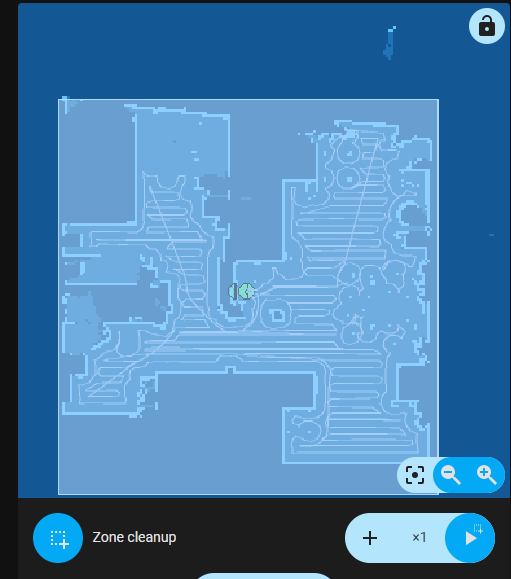
This zone is a part of map image (it shows last zone cleaning) and will disappear after first vacuum action (another zone cleaning/full cleaning).
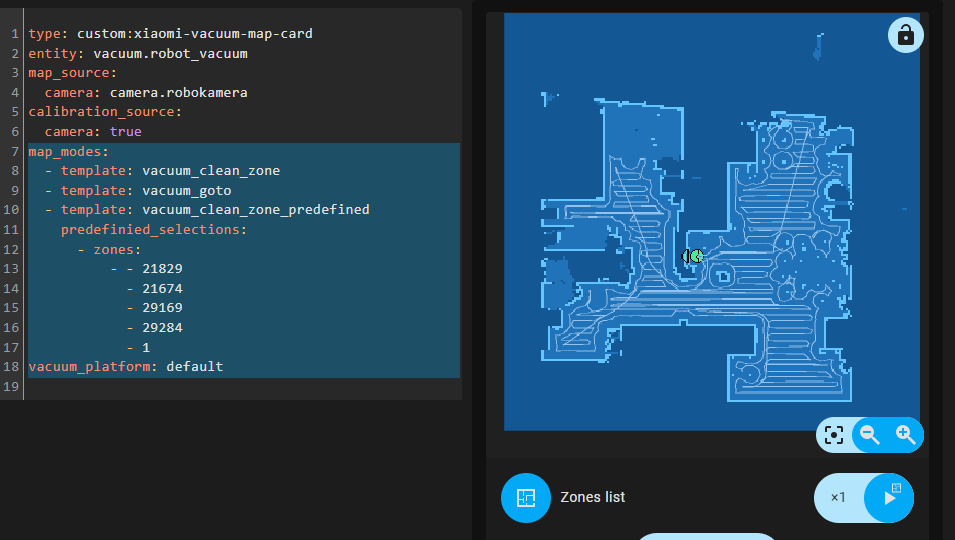
Old coordinates should work fine, you just have to remove last line (
It is a normal behavior of UI editor, both of these formats are correct
Mode that is visible on all your screenshots (Zone cleanup) allows you to create free-drawn zone to clean. Predefined zones are available in "Zones list" mode |
Beta Was this translation helpful? Give feedback.

-
|
Beta Was this translation helpful? Give feedback.

-
|
Can you try |
Beta Was this translation helpful? Give feedback.
-
|
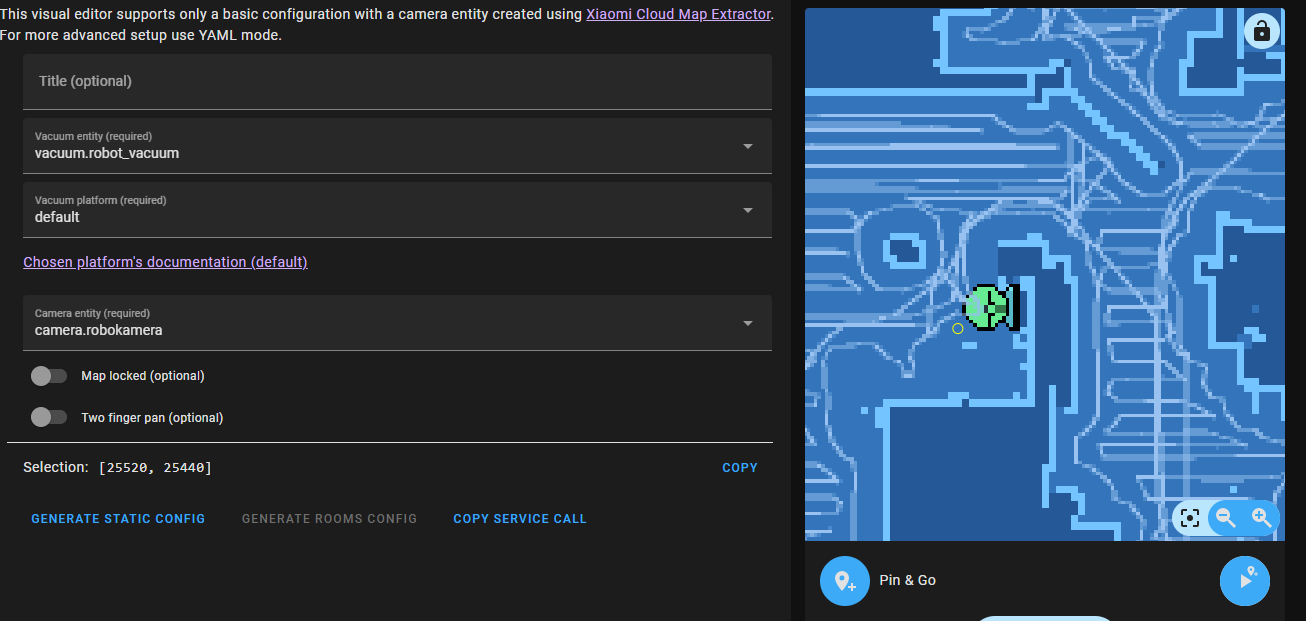
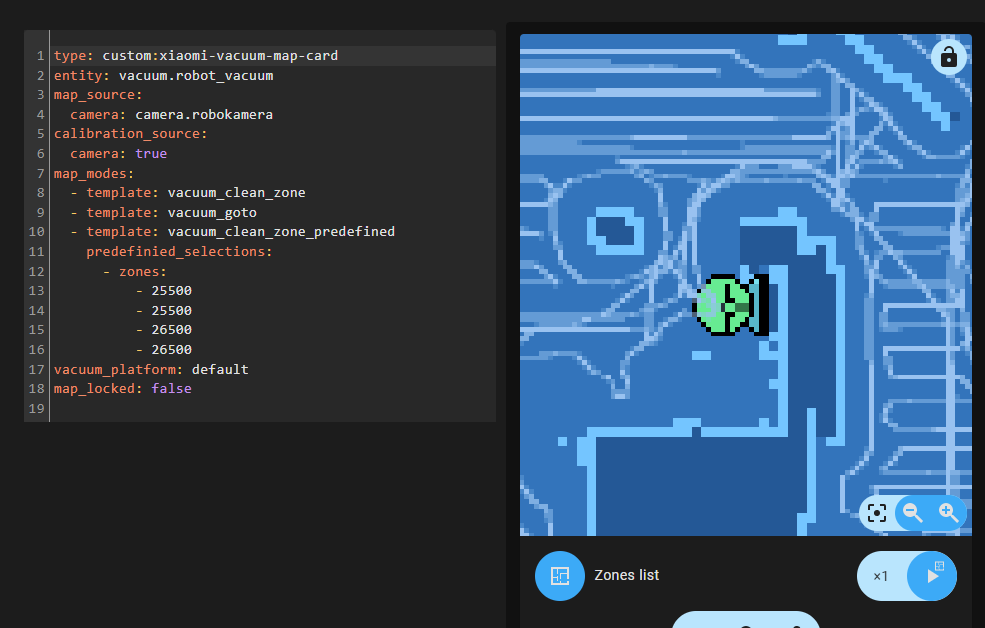
After running new cleanup map rotated, but calibration is the same: Created zone you asked, but still cannot see it on map: |
Beta Was this translation helpful? Give feedback.
-
That's common problem with gen 1 vacuums. You can check out this feature request: PiotrMachowski/Home-Assistant-custom-components-Xiaomi-Cloud-Map-Extractor#303
Achh! I finally noticed it. You have a typo in your config: it should be |
Beta Was this translation helpful? Give feedback.
-
It happened after opening new room for clean up. Since my dock is roughly in the middle it doesn't mess with my automations. That's not really a problem
Argh, hate when it happens :) At least it's easy to fix. Dzięki za pomoc :) |
Beta Was this translation helpful? Give feedback.


Uh oh!
There was an error while loading. Please reload this page.
-
Hey,
I got Roborock S1 and was using old version of this awesome integration. I had a prepared zone for cleaning whole apartament, created automation for cleaning. Everything was working properly. I could also select predefined zone and start cleanup manually.
After some time camera lovelace stopped working, so i updated to new version.
I modified lovelace config to show camera, but i cannot manage to show my predefined zone. If i enable drawing zones in map config it is always visible, but i only want it when choosing zones.
I even created new zones, getting coordinates through lovelace edit, and using
- zones: [[xxx, yyy, xxx, yyy]]format. But they still are not present for selectionZone always visible form camera:

Old zone coords:

New zone coords:
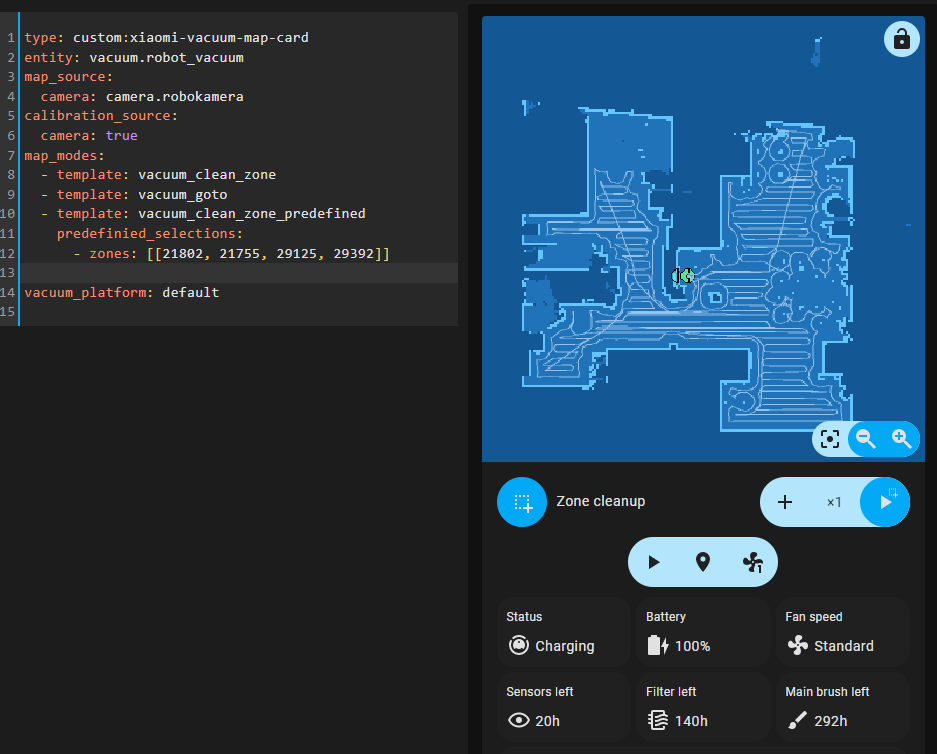
Automation with old zone coords is still working fine. Only problem is with showing the zone in lovelace card.
Also, when saving card configuration with
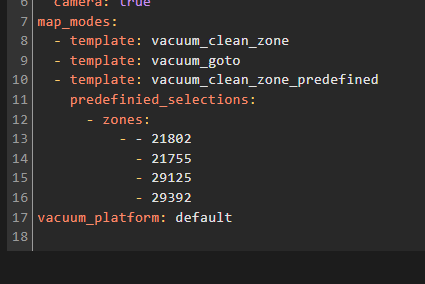
- zones: [[xxx, yyy, xxx, yyy]]format, it reverts to multiple lines after saving configAm i missing something? What is the issue here?
Beta Was this translation helpful? Give feedback.
All reactions