
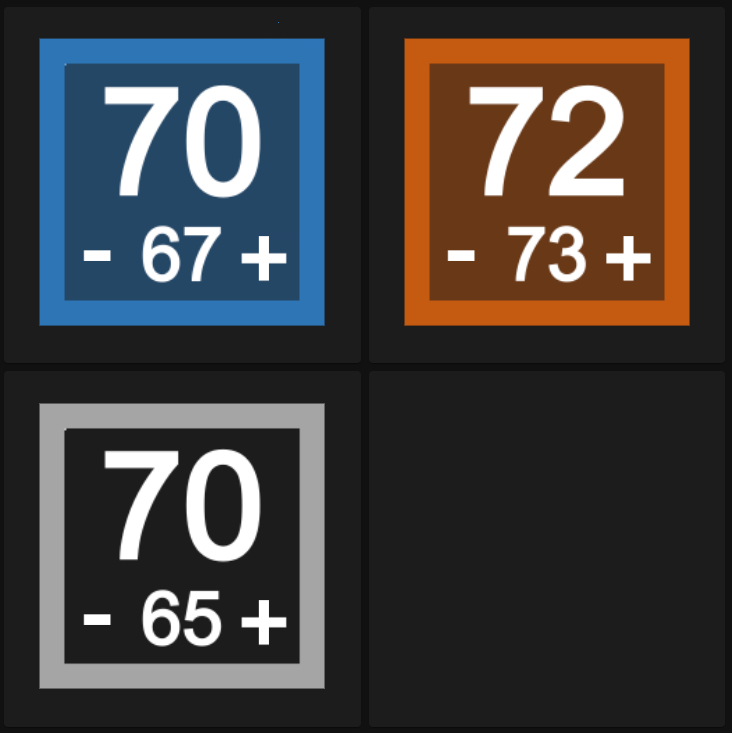
First and foremost, this is rough, I know. I'm sure there's a simpler way, and I'm all for suggestions. That all said, it works wonderfully on my tablet display.
This will show your thermostat's setting and state. I.E.: blue outlined for cooling set and orange outlined for heating set. When actively cooling or heating, it will be shaded in (like the two top examples). If it is set to off, it will be gray outlined.
- The items in
configuration.yamlandscripts.yamlhave to be added to the respective files. Theconfiguration.yamlcontains a few template sensors that thepicture_elementwill read. - Copy the
imagesfolder (including the images folder, itself) to yourwwwfolder. - Create a new manual lovelace card and paste the contents of
Therm_card.yamlin it.
This will have to be duplicated and modified for any additional thermostats added. So, with that said, I recommend coming up with a less-generic naming convention I used in this demonstration for the following entities:
sensor.visdisplay_state
sensor.visdisplay_tempact
sensor.visdisplay_tempset
script.decreasetemp
script.increasetemp. I have mine to be the specific thermostate after the entity names above (sensor.visdisplay_state_office, for example)
Let me know your thoughts on this. It's my first project I've put out there, and I poured a lot of heart and soul in this, so I'd love to get feedback on it.